Exclude a range, split and merge sessions
Correct Avelsta’s automatic splitting: exclude a range from the statistics with CUT mode, split a session in two, merge two sessions of the same boat.
The essentials
The automatic splitting can be corrected by hand; your corrections are kept at each new import.
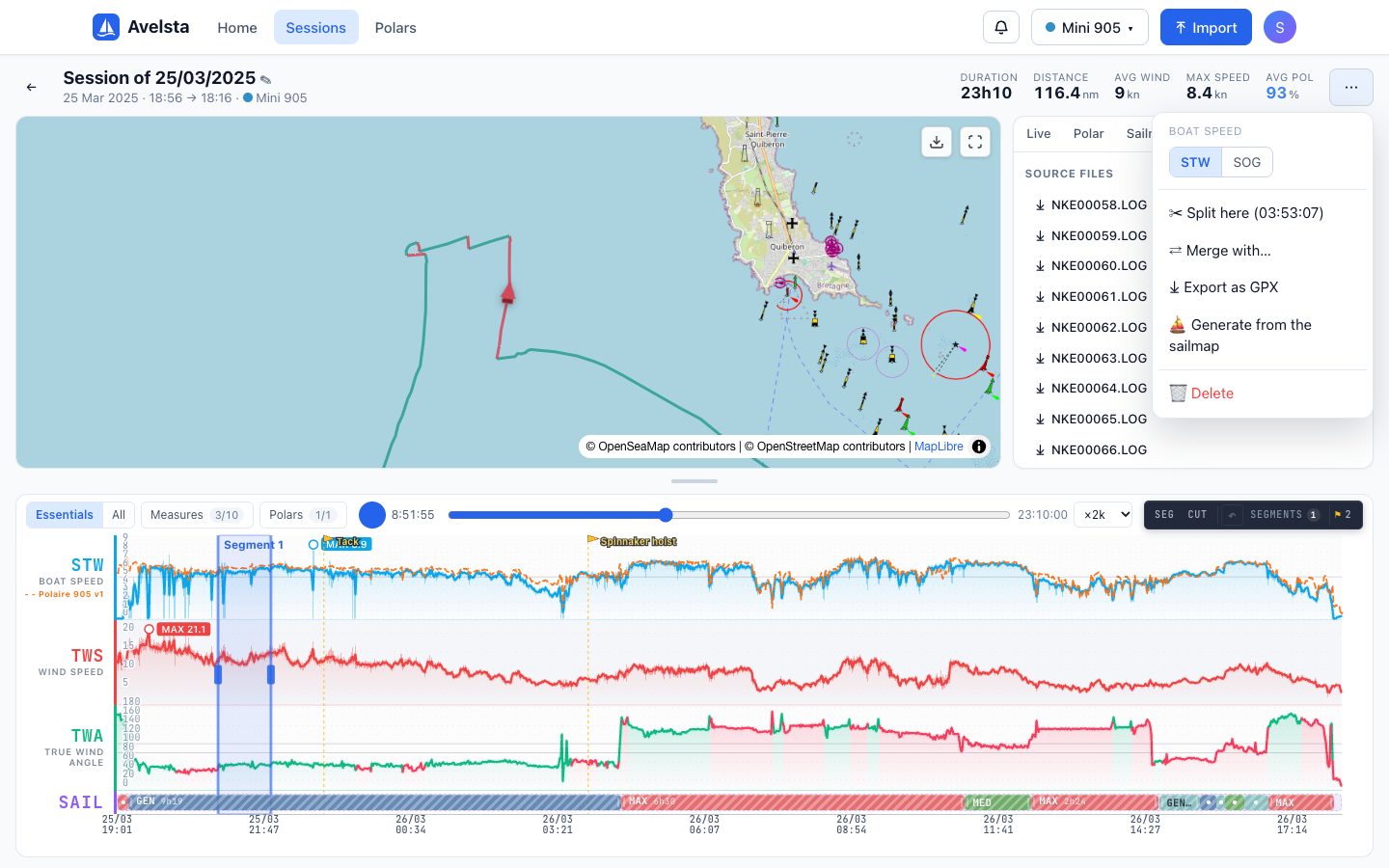
- Exclude a range (engine, bad measurement, delivery trip): click CUT in the timeline, then drag over the range. It shows greyed out and leaves the statistics, the polar percentage and the track. ↶ (or ⌘ Z / Ctrl Z) undoes the last exclusion.
- Split: put the cursor at the moment you want (hover or replay), open the session’s ⋯ menu and choose Split here. The session becomes two sessions.
- Merge: ⋯ menu, Merge with…, then choose the other session of the same boat. Both become one.
Going further
What an excluded range changes
The range stays visible (greyed out) in the timeline but no longer counts: the session is recomputed (status “Updating”) with its statistics, polar percentage and track without this period. The points of the range are not used for polar generation either.
Splitting
The split happens at the cursor time, shown in the menu (“Split here (time)”). Both sessions appear as soon as they are recomputed. The split is remembered: a later import over the same period respects it.
Merging
Merging is only possible between two ready sessions of the same boat. The resulting session takes over the ranges, segments and checkpoints of both. It is also remembered and replayed at each import.
When to exclude rather than delete?
Exclude part of a session (a stretch under engine in the middle of a race). Delete the session when the whole period is of no interest: it will not come back, even if you import the logs again.