Segments, checkpoints and log notes
Isolate a leg or a manoeuvre in an Avelsta session: create a segment with SEG mode, read its averages, minimums and maximums, compare segments, add checkpoints and notes.
The essentials
A segment is a time range you analyse on its own (an upwind leg, a run under spinnaker, a trim test). A checkpoint is a single commented mark (tack, gybe, sail change).
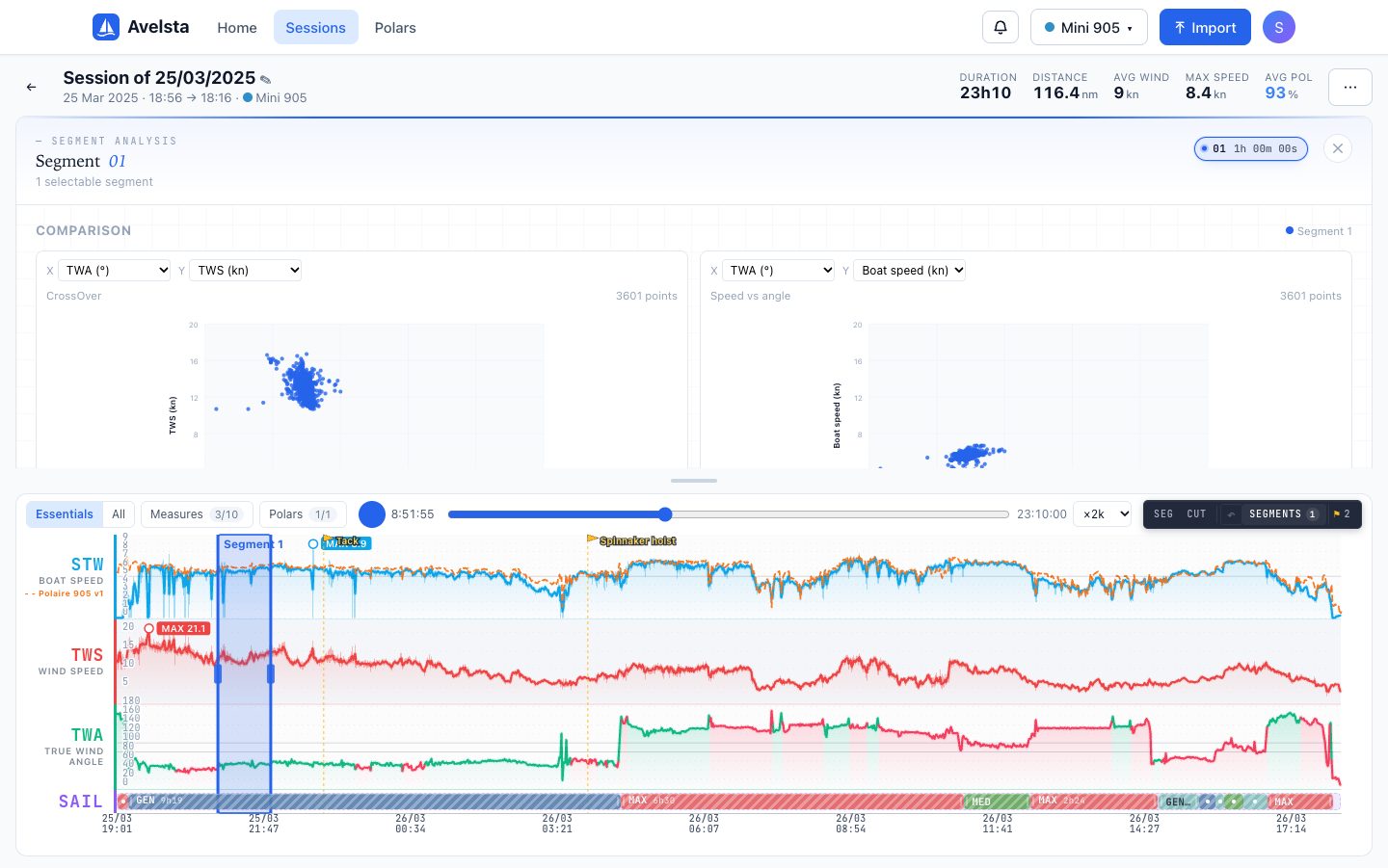
- In the timeline, click SEG then drag over the range you want: the segment is created and its sheet opens in place of the map.
- Read its measures: average, minimum and maximum of the wind, the speed, the angle, the wind direction, the heel and the pitch.
- Add a log note (trim, feel, manoeuvres); ⌘ + Enter (Ctrl + Enter) to confirm.
- For a checkpoint, double-click the timeline at the moment you want, type a comment and confirm.
Going further
The segments of a session
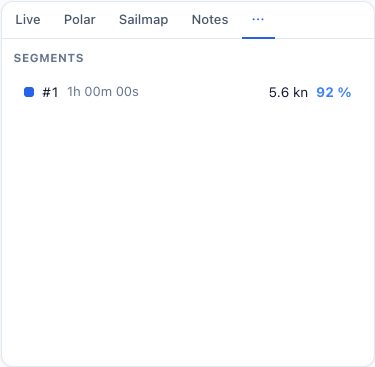
The Segments tab lists the session’s segments with their duration, average speed and polar percentage. Click a segment to select it on the timeline and open its sheet. The SEGMENTS button of the timeline toolbar also opens the panel.
Comparing segments
The Comparison section of the sheet shows two scatter plots whose X and Y axes you choose (angle, wind, speed…); by default CrossOver (TWA × TWS) and Speed vs angle. Each segment has its own colour: compare, for instance, two legs at the same angle with two different trims.
Editing a segment
Drag the edges of the range on the timeline to adjust its start and end. The measures are recomputed straight away. The sheet’s cross closes the panel; the delete button at the bottom of the sheet deletes the segment.
Checkpoints
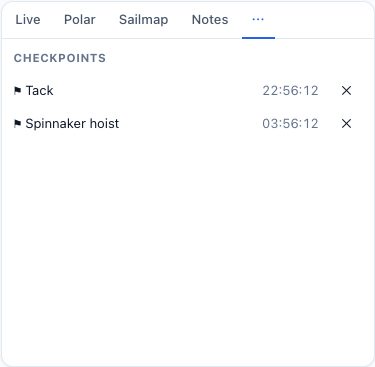
The Checkpoints tab lists the marks with their time and comment. The flags appear above the curves. Click a flag to edit its comment; the cross in the list deletes it.
Saving
Segments, checkpoints and notes are saved with the session and kept at each new import. In the example session or the trial without an account, they stay in the tab and disappear when it is closed.