Export as GPX, download the logs, delete a session
Export the track of an Avelsta session in GPX format, find and download the original log files, delete a session for good.
The essentials
- Export as GPX: download button at the top right of the map, or the session’s ⋯ menu, Export as GPX.
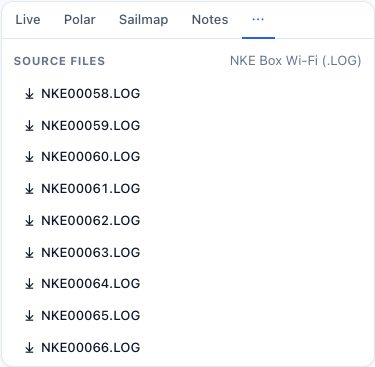
- Download an original log: the session’s Source tab, click the file name.
- Delete the session: ⋯ menu, Delete, then confirm.
Going further
The GPX file
The GPX holds the session track (timestamped positions), without dock time, GPS jumps or excluded ranges. It opens in most navigation and mapping software.
Source files
Avelsta keeps each log file exactly as it was uploaded. The Source tab lists those used by the session and their format (NKE Box WiFi, NKE Processor HR). A session built from several boxes lists all their files.
Deleting a session
Deleting removes the session from your lists and statistics. Its points stay in the boat’s timeline, but its period is locked: importing the same logs again does not recreate it, and data added later over this period is ignored. To remove only a part, exclude a range instead.
To also erase the raw files, delete the boat or your account: see Your data.