Generate a polar from your sessions
Compute your sailboat’s measured polar from your NKE logs: choice of sessions, STW or SOG, measured cells, completion with similar reference polars, saving.
The essentials
Avelsta turns the points of your sessions into a polar: for each angle and each wind speed, it keeps the speed the boat actually reached.
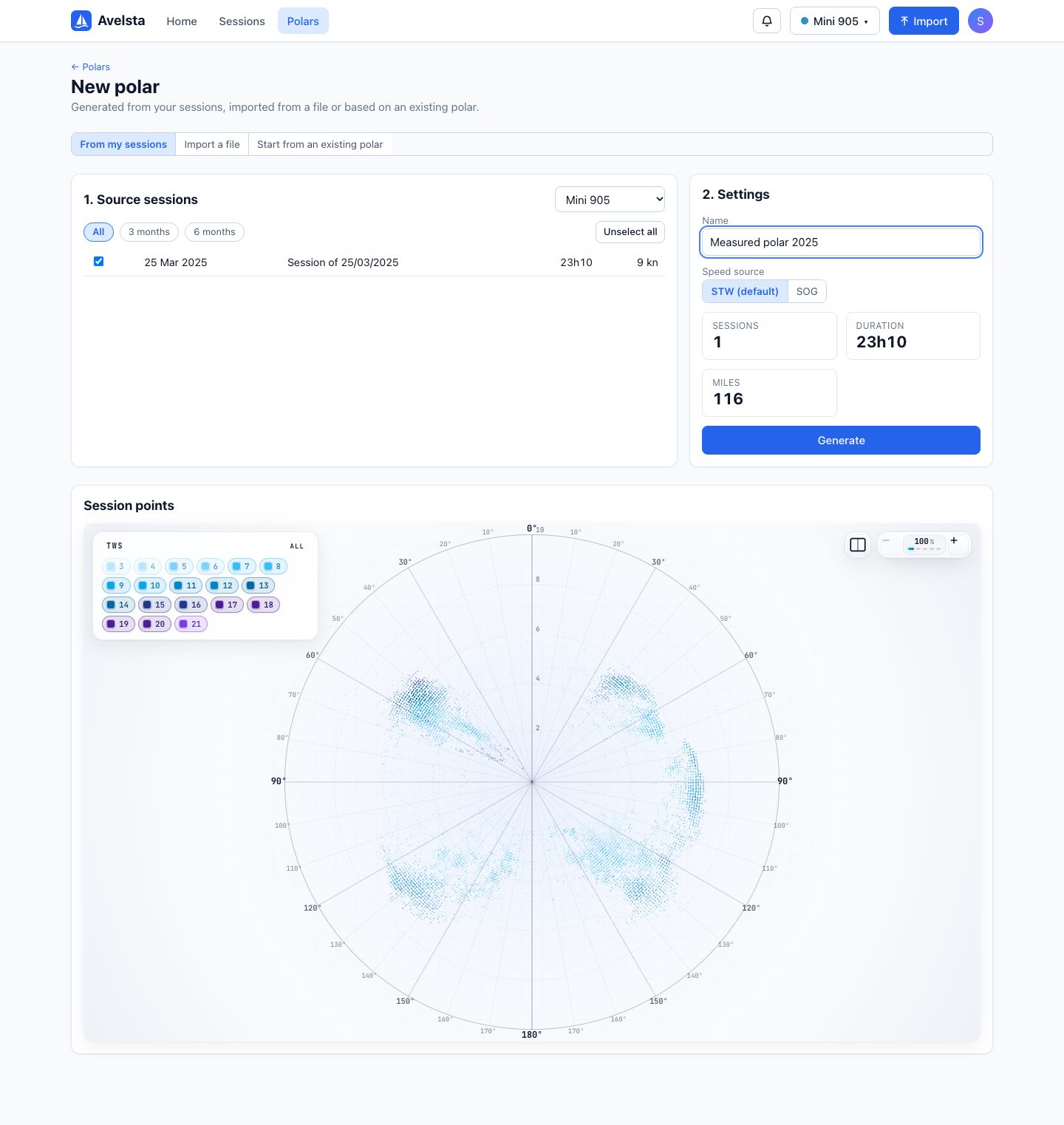
- Open Polars, then + New polar and the From my sessions tab.
- Choose the boat, then tick the source sessions (filter All, 3 months, 6 months; Select all).
- Name the polar and choose the speed source: STW (default) or SOG.
- Check the point cloud below the form, then click Generate.
- Check the result (measured and filled-in cells), adjust if needed, then Save or Save and set as primary.
Going further
The computation
The computation runs in your browser; keep the page open while it generates.
- Reading the sessions: only sailing points count (dock, GPS jumps and excluded ranges removed).
- Grouping into cells: angles from 30° to 180° in 10° steps, wind from 4 to 30 knots in 2-knot steps, angle as an absolute value.
- Speed kept: in each cell with at least 3 points, the 95th percentile of the speeds. This keeps what the boat can do while discarding outliers.
- Completion: cells without measurements are filled from the reference polars closest to your measurements (up to 10, at least 30% similarity), weighted by their similarity, then the polar is smoothed.
Reading the result
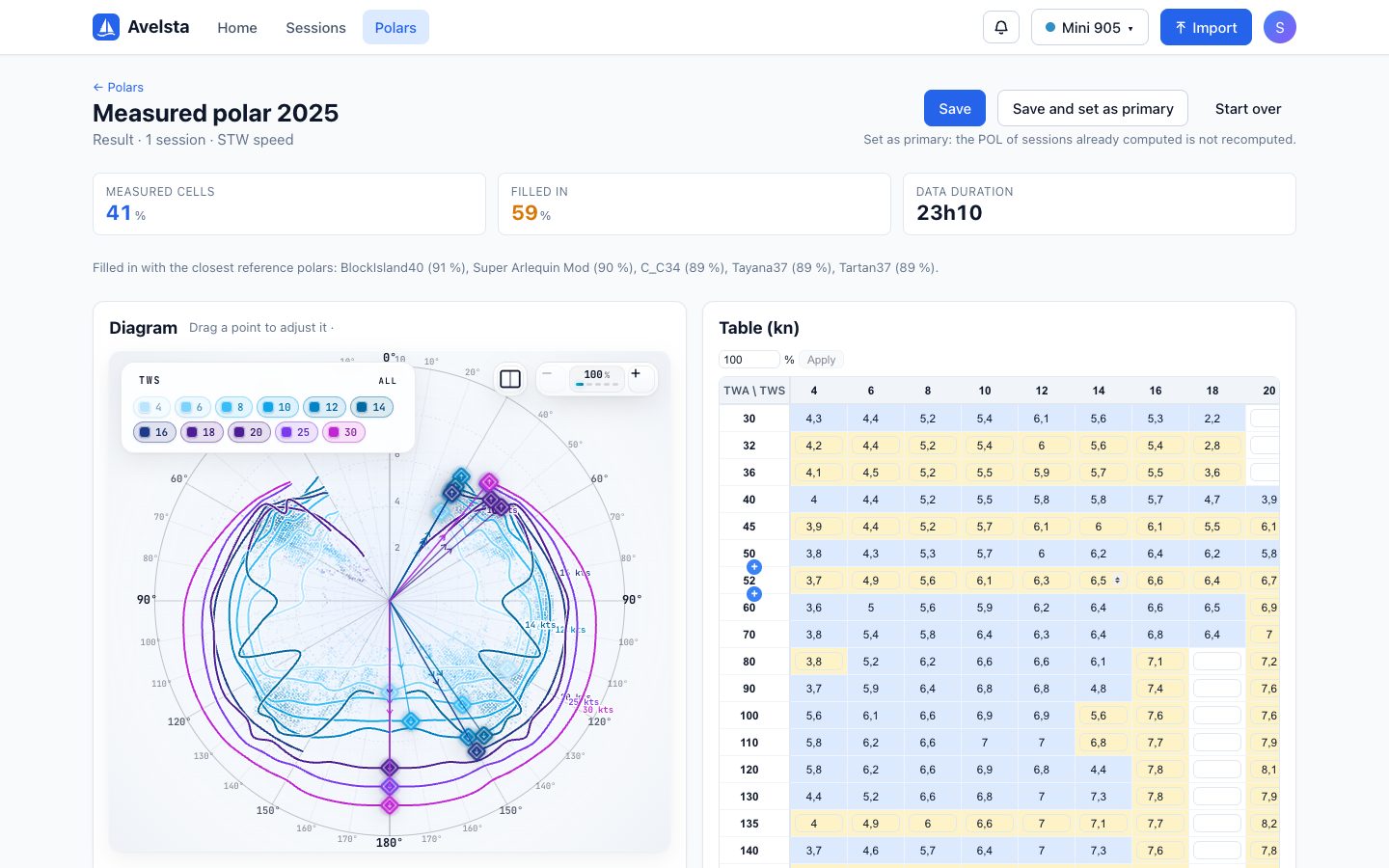
| Indicator | Meaning |
|---|---|
| Measured cells | Share of the grid coming from your data (blue in the table) |
| Filled in | Share coming from reference polars (yellow) |
| Data duration | Sailing time used |
| Filled in with… | The reference polars used and their similarity |
The more you sail in varied conditions, the higher the measured share. A polar 40% measured is useful upwind and downwind in the wind speeds met; elsewhere, it remains that of comparable boats.
STW or SOG
Generate in STW where possible: SOG includes the current, which skews the speed one way or the other. Only use SOG without a reliable log.
Before saving
The result opens in the editor: drag a point of the diagram or correct a cell of the table (see Edit a polar). Choose the boat and the name, then save. Start over goes back to choosing the sessions. A generated polar that is not saved is lost when you leave the page.
Setting it as primary
The primary polar is used for the polar percentage of the next sessions. The POL of sessions already computed is not recomputed.
Frequently asked questions
“No cell has enough points”
The sessions chosen do not cover enough angles and wind speeds (or have no true wind recorded). Add sessions, or sessions with more varied wind.
How much sailing does it take?
A few hours already give a usable polar at the angles sailed. A full season, in varied winds, covers most of the grid.