Edit a polar and choose the primary polar
Edit a polar in Avelsta: drag the diagram points, correct the table, add angles or wind speeds, apply a percentage, overlay your sessions, save a version, set the primary polar.
The essentials
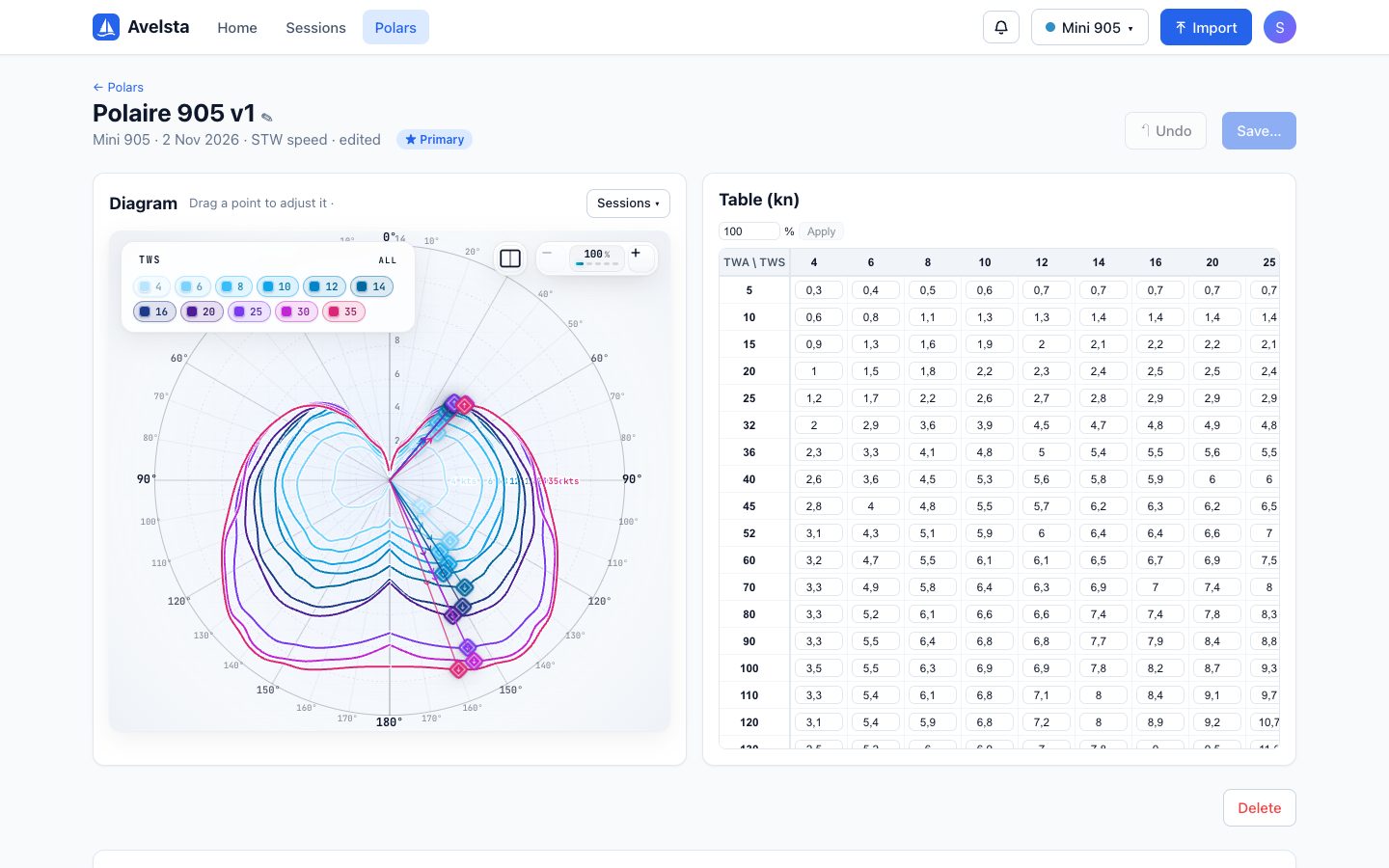
- Open Polars, then See details on the polar to edit.
- Diagram: drag a point to adjust the speed at that angle and wind.
- Table: click a cell to correct its value (in knots).
- Undo (or Ctrl Z / ⌘ Z) steps back, one change at a time.
- Click Save…: update the existing polar, or create a new one from these values.
Going further
The table
| Action | How |
|---|---|
| Correct a value | Click the cell, type, confirm |
| Add an angle or a wind speed | Insert button before or after a row or column |
| Remove an angle or a wind speed | Delete button of the row or column |
| Scale the whole polar | Type a percentage (for example 95) then Apply; applied for good when saving |
In a generated polar, measured cells are blue and cells filled in from references are yellow.
Overlaying your sessions
The diagram’s Sessions menu shows the points of your sessions on top of the polar. It is the best way to see where the polar is too optimistic (points below the curve) or too cautious (points above), before adjusting.
Saving: update or create
| Choice | Effect |
|---|---|
| Update “name” | The polar is updated; sessions whose POL was computed with it are recomputed |
| Create a new polar | A new polar is created with these values; the current one stays as it is |
Leaving the page with unsaved changes asks for confirmation.
The primary polar
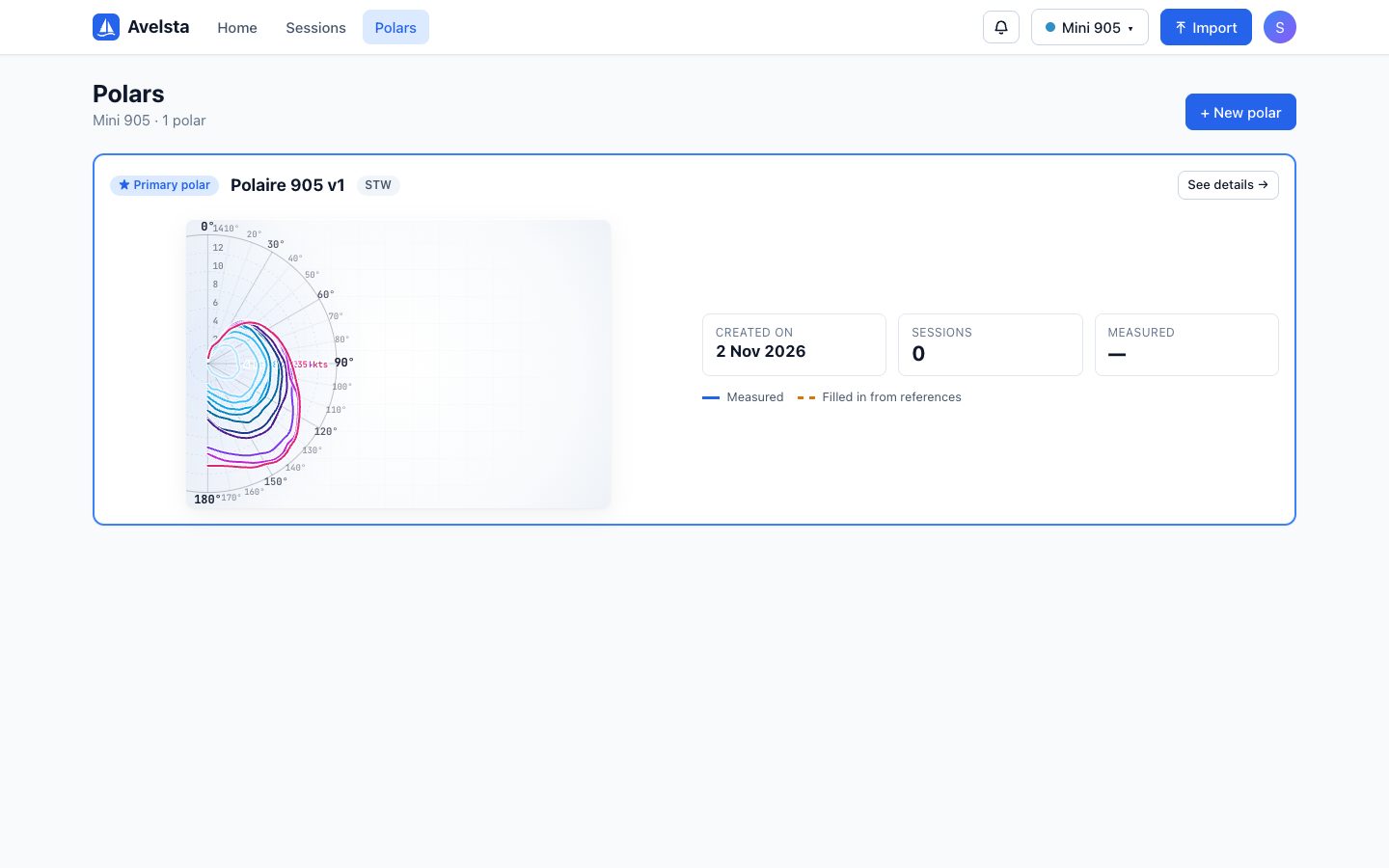
Each boat has a primary polar, marked with a star. It is used for the polar percentage of sessions computed from now on.
- In Polars, on another polar of the boat, click ★ Set as primary.
- Confirm: the next sessions and imports will use this polar.
The POL of sessions already computed is not recomputed, so your sessions remain comparable. A boat’s first polar automatically becomes primary.
Deleting a polar
The Delete button of the details page. Sessions that referred to it are recomputed with the boat’s primary polar; if it was the primary, the most recent polar takes over.
Source sessions
A generated polar keeps the list of its source sessions, at the bottom of the details page. A source session deleted or merged since is flagged.