Try Avelsta without an account
Upload your NKE logs without creating an account: replay and generated polar in a few minutes. Trial duration (6 hours), limits, and how to keep your sessions by creating an account.
The essentials
The trial without an account lets you analyse your own logs right away, without an email address.
- Open avelsta.app and choose Polar Generator or Replay in the menu.
- Drop your
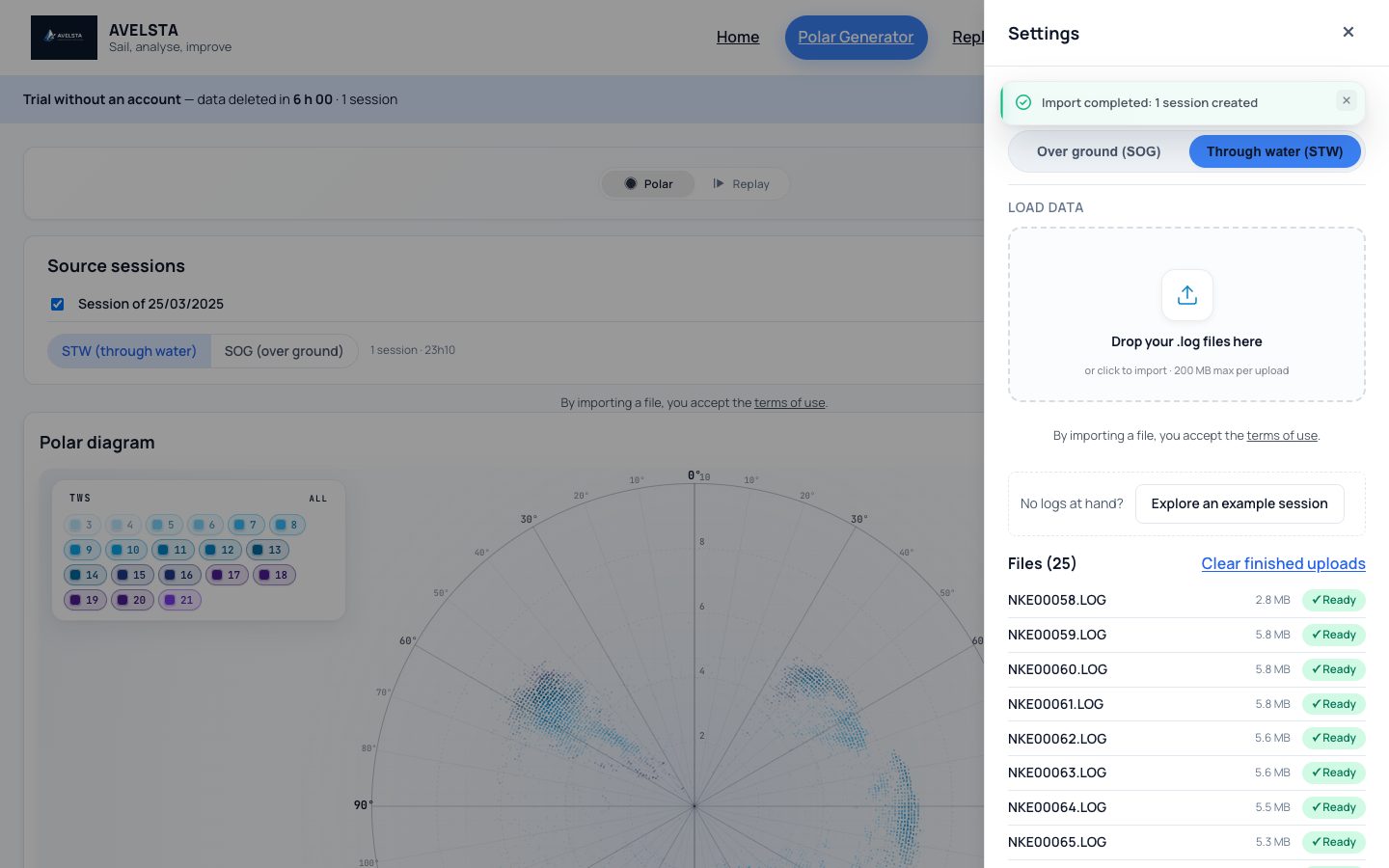
.LOGor.nkzfiles in the “Load data” area (200 MB at most per upload). - Wait for the processing to finish: your sessions appear under “Source sessions”.
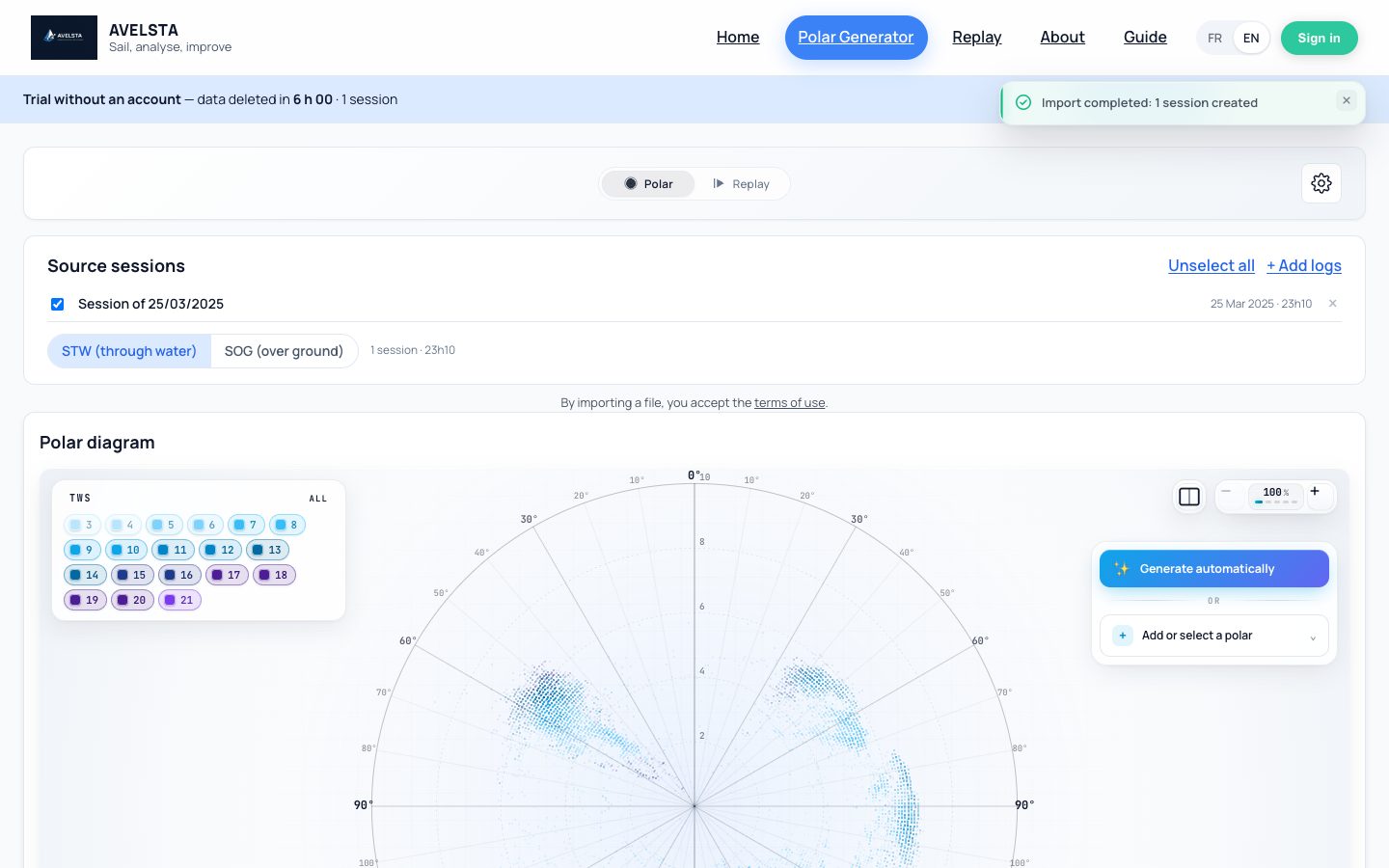
- Polar view: click Generate automatically to compute the polar of your sessions. Replay view: choose the session to replay in the Session list.
- To keep your sessions, click Create an account in the banner: they are moved to your new account.
Going further
The Settings and data panel
The ⚙ button at the top right opens the trial panel: reference speed (SOG over ground or STW through water), upload of new logs, state of each file, and the list of your sessions with a Replay link.
How long is the data kept?
The trial is tied to your browser and lasts 6 hours. The banner at the top of the page shows the time left. When it expires, the logs, raw files and sessions are deleted. The Delete everything button in the banner erases everything right away, raw files included.
Trial limits
| Without an account | With an account | |
|---|---|---|
| Upload size | 200 MB | no limit |
| Files per upload | 500 | 500 |
| Retention | 6 hours | as long as you want |
| Dating a log without a date | no | yes |
| Sail configurations | no | yes |
| Generated polar | shown, not saved | saved, editable |
Above 200 MB, upload your files in several batches or create an account.
Moving the trial to an account
When you create an account from the trial (the “Create an account” button in the banner or on the page), your trial sessions, imports and files move to the account, on your first boat. When you sign in to an existing account, the trial is not moved: it stays readable until it expires.
No logs at hand?
Click Explore an example session: a real sailing session opens read-only, compared with its boat’s polar. See Explore the example session.
Frequently asked questions
Can other users see my logs?
No. The trial can only be read from your browser, then it is deleted.
What happens if I close the tab during the upload?
Files already received are processed; the others must be uploaded again. Keep the tab open until the upload is over; the processing itself carries on on the server.