Notifications
Avelsta notifications: end of import and report, failure, polar saved, session split. Where to find them and how they lead to the item concerned.
The essentials
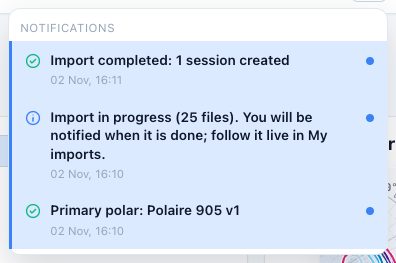
Every important event shows at the bottom of the screen, then stays in the bell, at the top right.
- Click the bell: the list of notifications opens, most recent first.
- A blue dot marks an unread notification.
- Click a notification to open the item concerned (session, import, polar).
Going further
Main notifications
| Notification | When |
|---|---|
| Import in progress | Your files are received, processing starts |
| Import done: report | End of processing: sessions created, updated, duplicates… |
| Import done with errors | Some of the files could not be read |
| Import failed | The sessions could not be built |
| Polar saved, primary polar | After saving a polar or changing the primary |
| Split started | A session is being split |
| Sail configurations generated | After Generate from the sailmap |
Action errors (cannot save, cannot delete…) also show, with their cause.
Live
Notifications arrive live while the app is open: no need to reload the page to see an import finish.
Without an account
During the trial without an account, messages are shown but not kept.